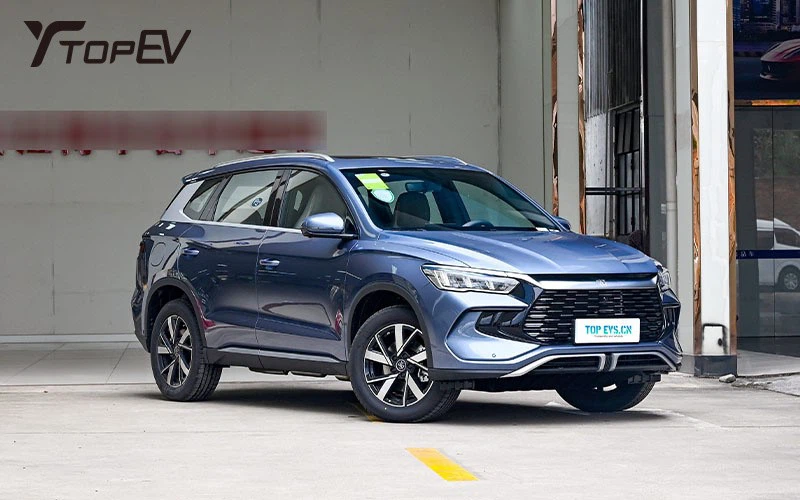
There are seven hidden functions of the BYD Song Pro DM-i that many people may not know. Familiarizing yourself with these features can enhance your experience with the vehicle.
1️⃣ Tips for Restarting the Car: If the car freezes or becomes unresponsive, simply press the central control screen to turn it off. Long-press the screen to restart the car system, restoring it to its previous smooth operation.
2️⃣ Forced EV Mode: Encountering a flooded road? Don't worry! Find the EV and HEV switch button located in front of the central armrest box, push it up, and hold it for 3 seconds to easily enter Forced EV Mode. This allows you to cross water without starting the engine.
3️⃣ Steep Slope Descent Assistant: When driving on a steep slope, pull down the main interface menu, click on Vehicle Control, and activate the Steep Slope Descent function. The vehicle will intelligently assist in controlling the speed, making it easier for you to descend.
4️⃣ Custom Shortcut Keys: The shortcut keys on the left side of the steering wheel can not only rotate the central control screen but also allow for selecting screen rotation, capturing dashcam photos, and locking video recordings with a long press. Personalize your settings to your liking!
5️⃣ Trunk Smart Switch: The trunk switch under the driver's door panel opens with a single pull. Long press to slowly lower the trunk; it will stop when you release your hand in the middle. Continue pressing to close it completely for easier operation.
6️⃣ Air Conditioning Quick Adjustment: The mode button next to the roller on the right side of the steering wheel allows you to easily access air conditioning settings. The roller adjusts the temperature, while sliding it to the right adjusts the air volume, ensuring you can enjoy a comfortable climate at all times.
7️⃣ Comfort Settings Trilogy:
① Panoramic Image Assistance: Click the car icon in the lower left corner of the central control → DIPilot → Parking Assistance Panoramic Image → Settings. Enable the three options to help you observe your surroundings when turning.
② Energy Feedback and Endurance Optimization: Click the car icon → New Energy, set the energy feedback to standard (which minimizes drag when the accelerator is pressed), and adjust endurance to dynamic mode for more accurate displays.
③ Driving Comfort Adjustment: Continue by clicking Vehicle Settings → Driving Comfort Adjustment. Select Comfort Brake Pedal and enable Comfort Parking for a more linear braking feel, enhancing overall driving comfort.